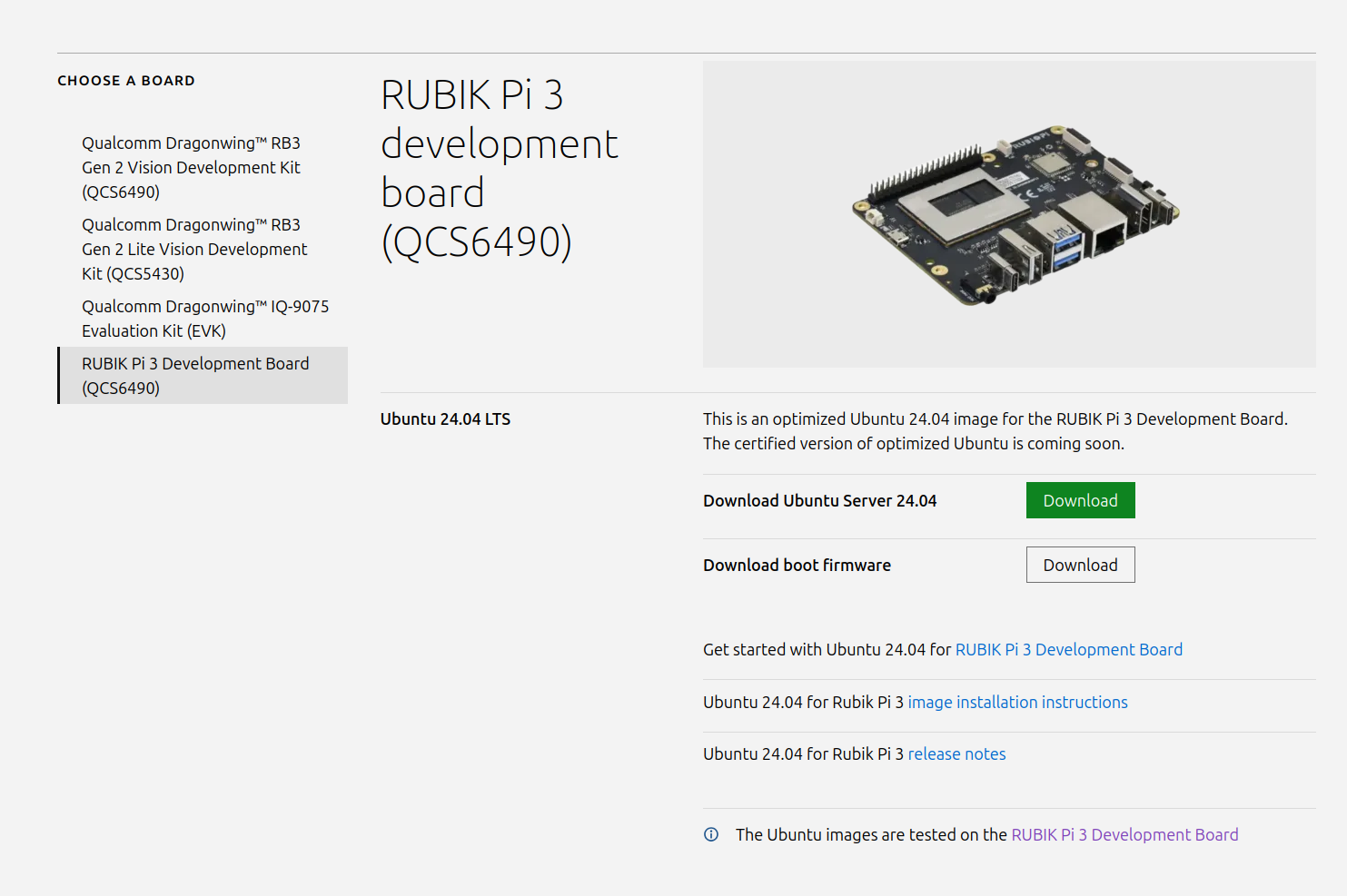
Ubuntu 24.04 Sever 版本镜像发布,点击访问 Canonical 官方网站 ,点击 RUBIK Pi 3 Development Board(QCS6490) 下载相关镜像;
相关文档 点击此处 查看
可能需要了解的:
- 服务版本和桌面版本可通过命令互相切换
- 登陆账号和密码都为 ubuntu , 首次登陆需要按提示修改密码
- AI/CAM 等功能需要使用
apt命令安装,详见文档 - 如果您的 USB3.0 和 以太网接口无法使用,请按照故障排除章节更新 USBHUB 固件
Ubuntu 24.04 Sever 版本镜像发布,点击访问 Canonical 官方网站 ,点击 RUBIK Pi 3 Development Board(QCS6490) 下载相关镜像;
相关文档 点击此处 查看
可能需要了解的:
apt 命令安装,详见文档 昨天已刷入,貌似现在ubuntu桌面不太稳定,服务器版本倒是没出现问题。
我遇到的问题是,桌面版没法启动,服务器版运行正常。如何解决?
我换了个xfce4桌面,然后又卸载了用ubuntu-desktop,就莫名其妙的好了
用什么刷的,Qualcomm launcher不行啊
你需要把下载的文件都打包到一个zip文件里,然后用custom模式就可以刷入
下载的ubuntu 镜像是 .xz 格式怎么 用 custom 模式刷系统
您可以参考下列方法烧写镜像
现在不是ubuntu24.04覆写到安卓系统,而是在ubuntu24.04系统下无法刷入安卓系统
请问是在刷写安卓系统过程中出现了错误,还是刷写完成后启动过程中出现了问题?
请问有重新配置UFS(provision)吗?
https://www.thundercomm.com/rubik-pi-3/cn/docs/rubik-pi-3-user-manual/1.0.1-a/get-started#镜像烧录
可以分享一下具体的错误信息吗?
请问一下刷写ubuntu的正确步骤.
到手的板子原本能够启动, ubuntu server?的镜像
启动之后的状态是lan看不到, 下面是板子的log
## board
ubuntu@ubuntu:~$ ip a
1: lo: <LOOPBACK,UP,LOWER_UP> mtu 65536 qdisc noqueue state UNKNOWN group default qlen 1000
    link/loopback 00:00:00:00:00:00 brd 00:00:00:00:00:00
    inet 127.0.0.1/8 scope host lo
       valid_lft forever preferred_lft forever
    inet6 ::1/128 scope host noprefixroute
       valid_lft forever preferred_lft forever
2: wlan0: <NO-CARRIER,BROADCAST,MULTICAST,UP> mtu 1500 qdisc pfifo_fast state DOWN group default qlen 1000
    link/ether 40:d9:5a:89:e5:7c brd ff:ff:ff:ff:ff:ff
ubuntu@ubuntu:~$ lspci
0000:00:00.0 PCI bridge: Qualcomm Technologies, Inc SM8250 PCIe Root Complex [Snapdragon 865/870 5G]
0000:01:00.0 USB controller: Renesas Technology Corp. uPD720201 USB 3.0 Host Controller (rev 03)
0001:00:00.0 PCI bridge: Qualcomm Technologies, Inc SM8250 PCIe Root Complex [Snapdragon 865/870 5G]
ubuntu@ubuntu:~$ sudo dmesg|grep -i eth
[    0.000000] psci: probing for conduit method from DT.
[   19.517073] Bluetooth: BNEP (Ethernet Emulation) ver 1.3
ubuntu@ubuntu:~$ sudo dmesg|grep -i lan
[    0.000000] OF: reserved mem: 0x00000000004cd000..0x00000000004cdfff (4 KiB) nomap non-reusable wlan-ce@4cd000
[    0.000000] OF: reserved mem: 0x0000000080c00000..0x00000000817fffff (12288 KiB) nomap non-reusable wlan-fw@80c00000
[    0.032843] LSM: initializing lsm=lockdown,capability,landlock,yama,apparmor,integrity
[    0.041031] landlock: Up and running.
[   15.335156] [dhd] STATIC-MSG) dhd_static_buf_init : 101.10.361.36 (wlan=r892223-20231107-1)
[   15.335823] [dhd] STATIC-MSG) dhd_init_wlan_mem : prealloc ok for index 0: 6943744(6781K)
[   15.369271] [dhd] dhd_wlan_deinit_gpio: gpio_free(WL_REG_ON 0)
[   15.369275] [dhd] dhd_wlan_deinit_gpio: gpio_free(WL_HOST_WAKE 0)
[   15.372911] [dhd] dhd_wlan_deinit_gpio: gpio_free(WL_REG_ON 0)
[   15.372914] [dhd] dhd_wlan_deinit_gpio: gpio_free(WL_HOST_WAKE 0)
[   15.457223] [dhd] STATIC-MSG) dhd_static_buf_init : 101.10.361.36 (wlan=r892223-20231107-1)
[   15.457800] [dhd] STATIC-MSG) dhd_init_wlan_mem : prealloc ok for index 0: 6943744(6781K)
[   15.478222] [dhd] dhd_wlan_deinit_gpio: gpio_free(WL_REG_ON 0)
[   15.478224] [dhd] dhd_wlan_deinit_gpio: gpio_free(WL_HOST_WAKE 0)
[   15.478236] [dhd] dhd_wlan_deinit_gpio: gpio_free(WL_REG_ON 0)
[   15.478237] [dhd] dhd_wlan_deinit_gpio: gpio_free(WL_HOST_WAKE 0)


ubuntu@ubuntu:~$ uname -a
Linux ubuntu 6.8.0-1051-qcom #51oem3-Ubuntu SMP PREEMPT_DYNAMIC Wed Jul 23 15:09:17 UTC 2025 aarch64 aarch64 aarch64 GNU/Linux
ubuntu@ubuntu:~$ lsb_release -a
No LSB modules are available.
Distributor ID:	Ubuntu
Description:	Ubuntu 24.04.2 LTS
Release:	24.04
Codename:	noble
ubuntu@ubuntu:~
##host的信息
lsb_release -a
No LSB modules are available.
Distributor ID: Ubuntu
Description:    Ubuntu 24.04.4 LTS
Release:        24.04
Codename:       noble
尝试用过
qualcommlauncher1.3.1.Linux-x86.deb #这个还再尝试
qualcommlauncher1.5.1.Linux-x86.deb ##这个版本肯定不行了. CDT/UFS这类的选择on/off切换都试过.
装其中提供的Ubuntu/UbuntuDesktop
最后得到的结果是.
请问一下为什么会有这样的error:
Error in Flash: Process exited with code 1
9008 mode确认过. 每次flash失败之后会重新拔插电源且重新进入recoverymode
lsusb|grep 9008
Bus 001 Device 036: ID 05c6:9008 Qualcomm, Inc. Gobi Wireless Modem (QDL mode)
File 1: Download complete

All files downloaded.

File 1: Starting extraction of QLI.1.4-ubuntu-rubikpi3-nhlos-bins-20250912-127.tar.gz to /tmp/qualcomm_launcher/ubuntu-24.04-preinstalled-server-arm64+rubikpi3-20250912-127...

File 2: Starting extraction of ubuntu-24.04-preinstalled-server-arm64+rubikpi3-20250912-127.img.xz to /tmp/qualcomm_launcher/ubuntu-24.04-preinstalled-server-arm64+rubikpi3-20250912-127...

File 1: QLI.1.4-ubuntu-rubikpi3-nhlos-bins-20250912-127/xbl.elf
File 1: QLI.1.4-ubuntu-rubikpi3-nhlos-bins-20250912-127/gpt_main1.bin
File 1: QLI.1.4-ubuntu-rubikpi3-nhlos-bins-20250912-127/uefi.elf
File 1: QLI.1.4-ubuntu-rubikpi3-nhlos-bins-20250912-127/gpt_main3.bin
File 1: QLI.1.4-ubuntu-rubikpi3-nhlos-bins-20250912-127/shrm.elf
QLI.1.4-ubuntu-rubikpi3-nhlos-bins-20250912-127/patch1.xml
File 1: QLI.1.4-ubuntu-rubikpi3-nhlos-bins-20250912-127/gpt_backup5.bin
QLI.1.4-ubuntu-rubikpi3-nhlos-bins-20250912-127/gpt_main0.bin
File 1: QLI.1.4-ubuntu-rubikpi3-nhlos-bins-20250912-127/uefi_sec.mbn
File 1: QLI.1.4-ubuntu-rubikpi3-nhlos-bins-20250912-127/gpt_main4.bin
File 1: QLI.1.4-ubuntu-rubikpi3-nhlos-bins-20250912-127/cpucp.elf
File 1: QLI.1.4-ubuntu-rubikpi3-nhlos-bins-20250912-127/xbl_config_kvm.elf
File 1: QLI.1.4-ubuntu-rubikpi3-nhlos-bins-20250912-127/tz.mbn
File 1: QLI.1.4-ubuntu-rubikpi3-nhlos-bins-20250912-127/xbl_config_gunyah.elf
File 1: QLI.1.4-ubuntu-rubikpi3-nhlos-bins-20250912-127/patch6.xml
QLI.1.4-ubuntu-rubikpi3-nhlos-bins-20250912-127/xbl_config.elf
File 1: QLI.1.4-ubuntu-rubikpi3-nhlos-bins-20250912-127/prog_firehose_lite.elf
File 1: QLI.1.4-ubuntu-rubikpi3-nhlos-bins-20250912-127/patch4.xml
QLI.1.4-ubuntu-rubikpi3-nhlos-bins-20250912-127/rawprogram1.xml
QLI.1.4-ubuntu-rubikpi3-nhlos-bins-20250912-127/RubikPi3_CDT.bin
File 1: QLI.1.4-ubuntu-rubikpi3-nhlos-bins-20250912-127/devcfg.mbn
QLI.1.4-ubuntu-rubikpi3-nhlos-bins-20250912-127/rawprogram2.xml
QLI.1.4-ubuntu-rubikpi3-nhlos-bins-20250912-127/patch3.xml
QLI.1.4-ubuntu-rubikpi3-nhlos-bins-20250912-127/multi_image.mbn
QLI.1.4-ubuntu-rubikpi3-nhlos-bins-20250912-127/zeros_5sectors.bin
QLI.1.4-ubuntu-rubikpi3-nhlos-bins-20250912-127/gpt_main2.bin
File 1: QLI.1.4-ubuntu-rubikpi3-nhlos-bins-20250912-127/patch2.xml
QLI.1.4-ubuntu-rubikpi3-nhlos-bins-20250912-127/gpt_backup1.bin
QLI.1.4-ubuntu-rubikpi3-nhlos-bins-20250912-127/rubikpi_config.img
File 1: QLI.1.4-ubuntu-rubikpi3-nhlos-bins-20250912-127/gpt_backup0.bin
QLI.1.4-ubuntu-rubikpi3-nhlos-bins-20250912-127/rawprogram5.xml
File 1: QLI.1.4-ubuntu-rubikpi3-nhlos-bins-20250912-127/gpt_main6.bin
QLI.1.4-ubuntu-rubikpi3-nhlos-bins-20250912-127/prog_firehose_ddr.elf
File 1: QLI.1.4-ubuntu-rubikpi3-nhlos-bins-20250912-127/aop.mbn
File 1: QLI.1.4-ubuntu-rubikpi3-nhlos-bins-20250912-127/tools.fv
File 1: QLI.1.4-ubuntu-rubikpi3-nhlos-bins-20250912-127/rawprogram3.xml
QLI.1.4-ubuntu-rubikpi3-nhlos-bins-20250912-127/devcfg_full.img
File 1: QLI.1.4-ubuntu-rubikpi3-nhlos-bins-20250912-127/hypvm.mbn
File 1: QLI.1.4-ubuntu-rubikpi3-nhlos-bins-20250912-127/rawprogram6.xml
QLI.1.4-ubuntu-rubikpi3-nhlos-bins-20250912-127/patch5.xml
QLI.1.4-ubuntu-rubikpi3-nhlos-bins-20250912-127/qupv3fw.elf
File 1: QLI.1.4-ubuntu-rubikpi3-nhlos-bins-20250912-127/gpt_backup2.bin
QLI.1.4-ubuntu-rubikpi3-nhlos-bins-20250912-127/gpt_main5.bin
QLI.1.4-ubuntu-rubikpi3-nhlos-bins-20250912-127/imagefv.elf
File 1: QLI.1.4-ubuntu-rubikpi3-nhlos-bins-20250912-127/rawprogram4.xml
File 1: QLI.1.4-ubuntu-rubikpi3-nhlos-bins-20250912-127/splash.img
File 1: QLI.1.4-ubuntu-rubikpi3-nhlos-bins-20250912-127/XblRamdump.elf
File 1: QLI.1.4-ubuntu-rubikpi3-nhlos-bins-20250912-127/gpt_backup6.bin
File 1: QLI.1.4-ubuntu-rubikpi3-nhlos-bins-20250912-127/gpt_backup4.bin
QLI.1.4-ubuntu-rubikpi3-nhlos-bins-20250912-127/rubikpi_dtso.img
File 1: QLI.1.4-ubuntu-rubikpi3-nhlos-bins-20250912-127/gpt_backup3.bin
File 1: Successfully extracted QLI.1.4-ubuntu-rubikpi3-nhlos-bins-20250912-127.tar.gz to /tmp/qualcomm_launcher/ubuntu-24.04-preinstalled-server-arm64+rubikpi3-20250912-127
File 2: /tmp/qualcomm_launcher/ubuntu-24.04-preinstalled-server-arm64+rubikpi3-20250912-127/ubuntu-24.04-preinstalled-server-arm64+rubikpi3-20250912-127.img.xz: 1,194.8 MiB / 4,913.8 MiB = 0.243, 147 MiB/s, 0:33
File 2: Successfully extracted ubuntu-24.04-preinstalled-server-arm64+rubikpi3-20250912-127.img.xz to /tmp/qualcomm_launcher/ubuntu-24.04-preinstalled-server-arm64+rubikpi3-20250912-127
All files extracted.
QDL Command: "/opt/qcom/qualcommlauncher/bin/qdl/qdl_x64/qdl" prog_firehose_ddr.elf "rawprogram0.xml" "rawprogram1.xml" "rawprogram2.xml" "rawprogram3.xml" "rawprogram4.xml" "rawprogram5.xml" "rawprogram6.xml" "patch1.xml" "patch2.xml" "patch3.xml" "patch4.xml" "patch5.xml" "patch6.xml" --debug
Starting device flash...
Current Working Directory: /tmp/qualcomm_launcher/ubuntu-24.04-preinstalled-server-arm64+rubikpi3-20250912-127
qdl version v2.3.9
USB: using out-chunk-size of 1048576
END OF IMAGE image: 13 status: 1
Error: received non-successful end-of-image result
Error in Flash: Process exited with code 1
您可以参考下列链接刷写ubuntu版本
或者
ubuntu系统最新版本
好的谢谢, 我确认下您这边共享的链接.
顺便问下请问下原有的 教程里面的qualcommlauncher 是不支持刷ubuntu吗?
还是板子需要先刷到某个状态之后才开始支持 qualcommlauncher的刷机?
尝试用qdl来配置的时候会遇到下面的error请问怎么解决?
./qdl --storage ufs prog_firehose_ddr.elf rawprogram*.xml patch*.xml
failed to read sahara request from device

./qdl prog_firehose_ddr.elf provision_1_3.xml
failed to read sahara request from device

Bus 001 Device 038: ID 05c6:9008 Qualcomm, Inc. Gobi Wireless Modem (QDL mode)
这边demsg -w去看usb的log
[  325.342899] usb 1-5: new high-speed USB device number 16 using xhci_hcd
[  325.472026] usb 1-5: New USB device found, idVendor=05c6, idProduct=9008, bcdDevice= 0.00
[  325.472030] usb 1-5: New USB device strings: Mfr=1, Product=2, SerialNumber=0
[  325.472031] usb 1-5: Product: QUSB_BULK_CID:042F_SN:894ECE1F
[  325.472032] usb 1-5: Manufacturer: Qualcomm CDMA Technologies MSM
[  325.474097] qcserial 1-5:1.0: Qualcomm USB modem converter detected
[  325.474181] usb 1-5: Qualcomm USB modem converter now attached to ttyUSB0
[  330.090393] qcserial ttyUSB0: Qualcomm USB modem converter now disconnected from ttyUSB0

# 这里执行了renesus的Flat_usb_fw 刷固件的命令之后出现了device 断开的log
Flat_usb_fw$  sudo ./qdl --storage ufs prog_firehose_ddr.elf rawprogram*.xml patch*.xml
failed to read sahara request from device
[  330.090408] qcserial 1-5:1.0: device disconnected
这个可能的原因是什么呢?供电吗? 我已经换了台式机的主板上的USB3的口了
您好 这边有尝试您给的方法,
换了windows的Qualcomm launcher之后能够进行一部分的刷新了.
途中会进行好几次的重启 然后再次进入到QDLmode里面进行刷写.
之后进行OSDownload 最后进行OS的刷写(Rootfs dtb kernel.)
然后就能启动了.
好的,感谢您的回复!
我不能发帖子,请查看下这个问题可以吗 install_ppa_pkgs.sh - E: Unable to correct problems, you have held broken packages. · Issue #10 · rubikpi-ai/rubikpi-script
已在github上回复
请确认您使用的 Ubuntu 版本是否为 Rubik Pi 出厂预装的原始版本?我们建议您烧录最新版本进行测试。
烧录方法:
https://www.thundercomm.com/rubik-pi-3/cn/docs/rubik-pi-3-user-manual/1.0.0-u/Update-Software/3.2.Flash-using-Qualcomm-Launcher
https://www.thundercomm.com/rubik-pi-3/cn/docs/rubik-pi-3-user-manual/1.0.0-u/Troubleshooting/11.1.flash-over-android
最新版本:
https://www.thundercomm.com/rubik-pi-3/cn/docs/image